Ratibi Card Salary Check: How to Check Your FAB Balance Online
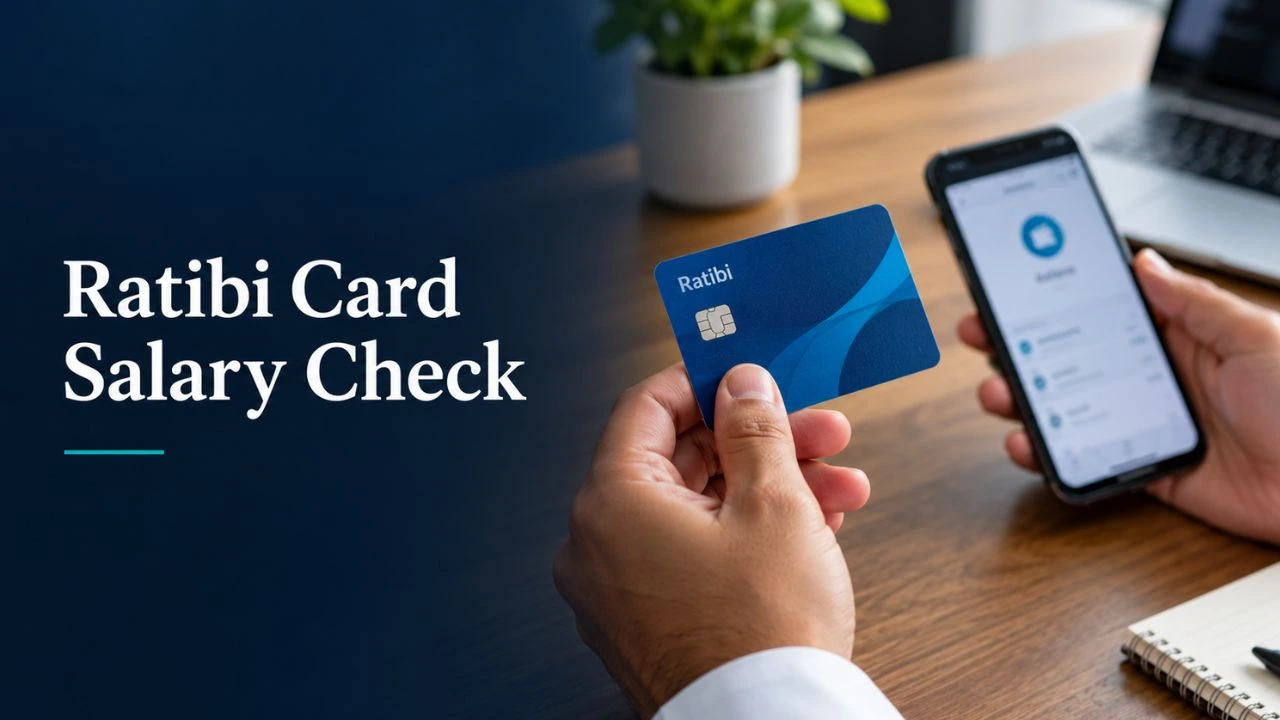
Ratibi Card Salary Check lets you view your available balance and check whether your wages have arrived. Issued by First Abu Dhabi Bank (FAB), Ratibi is a prepaid salary card for employees who receive their pay without a traditional bank account. You can check your Ratibi balance through the official prepaid card enquiry page using your card details.
This guide explains the complete Ratibi online steps, other enquiry options, and what to do if your balance does not appear.
Ratibi Card Salary Check – Step By Step
Here are the steps for the Ratibi card balance check online:
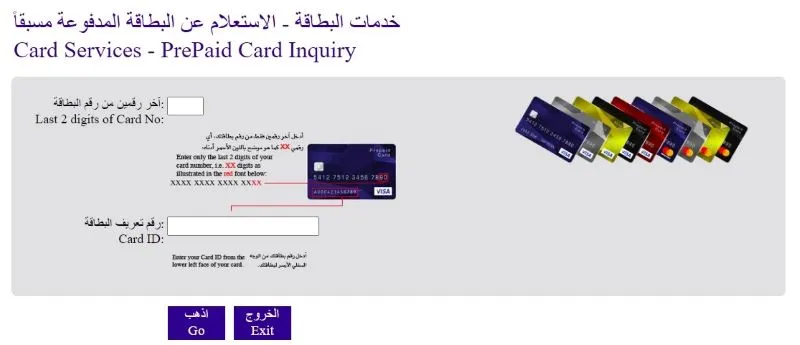
- Go to the official website of FAB Bank, and you will see multiple options there.
- Click on the option named Ratibi Card.
- There are multiple options; click on the option named “Ratibi Card Balance Enquiry” given on the screen.
- The screen will move you toward the page named.

- Now, there is the screen to check the balance and add the last two digits of your PIN, which you set for the ATM card. Also, add the ID card number.
- Now press the “Go” button, and hurrah! You can now check the balance.
What Do You Need for a Ratibi Salary Check?
To check your balance online, keep these details ready:
- Last four digits of your card number: Find these at the end of the long number printed on your Ratibi card.
- Ratibi Card ID: Use the separate identification code printed on your card.
- An internet connection: Open the official enquiry page on a phone, tablet or computer.
- CAPTCHA characters: Enter the characters shown on the enquiry page before selecting Go.
You do not need to enter your full card number, ATM PIN or OTP on this balance enquiry form.
How to Check Your Ratibi Card Balance at an ATM
You can check your Ratibi card balance at a FAB ATM without an internet connection. Take your card with you and keep your ATM PIN ready.
- Insert your Ratibi card into the ATM.
- Choose your preferred language and enter your PIN.
- Select Balance Enquiry from the menu.
- Read your available balance on the screen.
- End the session and collect your card before leaving.
Cover the keypad when entering your PIN. If you have forgotten it, contact Ratibi support instead of making repeated guesses.
Can You Check Your Ratibi Card Balance Through an App?
Yes, Payit supports Ratibi card linking and balance tracking. Once your card is successfully linked, you can use the app to view its balance from your phone.
Ratibi Card Balance Via Payit App
Payit provides an app option for Ratibi cardholders.
- Download the official app
- Complete your registration
- Link your card to the app
- View the balance on display
What Is a FAB Ratibi Salary Card?
A FAB Ratibi Salary Card is a prepaid payroll card issued by First Abu Dhabi Bank for employees earning up to AED 5,000 per month. Your employer pays your salary onto the card, so you can receive wages without opening a traditional bank account. You can use the available money for cash withdrawals, shopping, and online payments. Cardholders also receive free salary-credit SMS alerts, with no minimum balance requirement or monthly maintenance charges.
Activate The Ratibi Card Balance Check
Here are some of the policies and the guide to activating the Ratibi balance card, which everyone must keep in mind:
- This card can be used by corporate employees or any of the employees who has a monthly salary of around AED 5 000
- The employee applying for this card must be a UAE resident
Ratibi Card Benefits for Employees
A Ratibi card gives you access to your salary without opening a traditional bank account. Its main benefits include:
- Free salary SMS alerts: Receive a notification whenever your salary is credited.
- No minimum balance: You do not need to keep a fixed amount on your card.
- No monthly maintenance charges: There is no monthly fee for maintaining the card.
- Cash withdrawals: Withdraw money from ATMs that accept your card.
- Shopping and online payments: Pay using your available card balance.
- PIN selection: Set your own card PIN at a FAB ATM.
- 24/7 customer support: Get help with card issues through FAB’s call centre.
New cardholders should first activate the Ratibi card. You can also transfer money from your Ratibi card or change the registered mobile number.
Frequently Asked Questions
Does Ratibi Balance Enquiry Require a PIN or OTP?
No. The official online form requires the last four card digits, your Card ID, and a CAPTCHA. An ATM enquiry requires your card PIN.
Can I View My Ratibi Card Transaction History?
Contact Ratibi support to request your transaction records. Do not assume the online balance enquiry shows a complete card statement.
How Can I Update My Registered Ratibi Mobile Number?
Contact your employer’s HR or payroll team to arrange the update with FAB. Keep your new number and identification documents ready.
How Do I Reset My Ratibi Card PIN?
If you have forgotten your PIN, contact Ratibi support for reset instructions. Avoid repeated guesses, which can block your card.
Can I Transfer Money From My Ratibi Card?
Yes, linking your Ratibi card to Payit gives you access to supported money-transfer services. Review the transfer fee and limits before sending money.
Can I Use My Ratibi Card Outside the UAE?
Yes. Ratibi cards support payments and cash withdrawals through the Visa or Mastercard network worldwide. Overseas transaction charges can apply.
Is a Lulu FAB Salary Card the Same as a Ratibi Card?
Do not treat them as the same product. LuLu offers its own salary-card programmes, including My Pay My Card. Use the enquiry method provided for the card name printed on your card.
Final Verdicts
Hence, the above is a complete guide on the Ratibi card salary check. We provided simple and easy steps for FAB Ratibi card balance check through the Ratibi card. Overall, this card has an advantage over all other cards as you don’t need to open a specific bank account or activate this account. Moreover, there are no fees to maintain this card. Finally, if you have questions regarding the Ratibi card, please ask in the comments section.